
Firstly, congratulations on choosing rechargeable hearing aids. At Victorian Hearing, we love celebrating milestones with our clients and choosing rechargeable hearing aids is a big one! These modern devices not only make managing your hearing health easier, but they also offer convenience, eco-friendliness, and consistent performance.
If you’ve recently made the switch, well done on taking another step toward better hearing and a better quality of life. To help you get the most out of your investment, here’s what you need to know about looking after your rechargeable hearing aids, plus a helpful troubleshooting tip for a common battery issue.
Why Rechargeable Hearing Aids Are a Game-Changer
Rechargeable hearing aids are designed to make your life simpler. With a full charge, most models comfortably last a full day, typically 8 hours of automatic listening programs, plus a few hours of TV or Bluetooth streaming. Some models claim over 37hours of single usage. We tend to go by the conservative number and your audiologist can guide you as to which aid is best for you. At Victorian Hering we are an independent audiology clinic so you have full choice of all hearing aid manufacturers.
Here are just a few benefits of your rechargeable aids:
- No more fiddly batteries – simply pop them in the charger overnight.
- Safety of an enclosed battery – traditional hearing aid button batteries present a significant hazard if swallowed by children or pets.
- Eco-friendly – fewer disposable batteries mean less environmental waste.
- Reliable performance – consistent power to keep you hearing your best all day long.
- Convenient streaming – connect to phones, TVs, or tablets with ease.
Daily Care Tips for Long-Lasting Performance
To keep your hearing aids performing at their best, try these simple care habits:
- Charge nightly so you start each day with full power.
- Keep your charger plugged in at the wall for charging at night.
- Keep the charger in a safe, dry place away from moisture and heat.
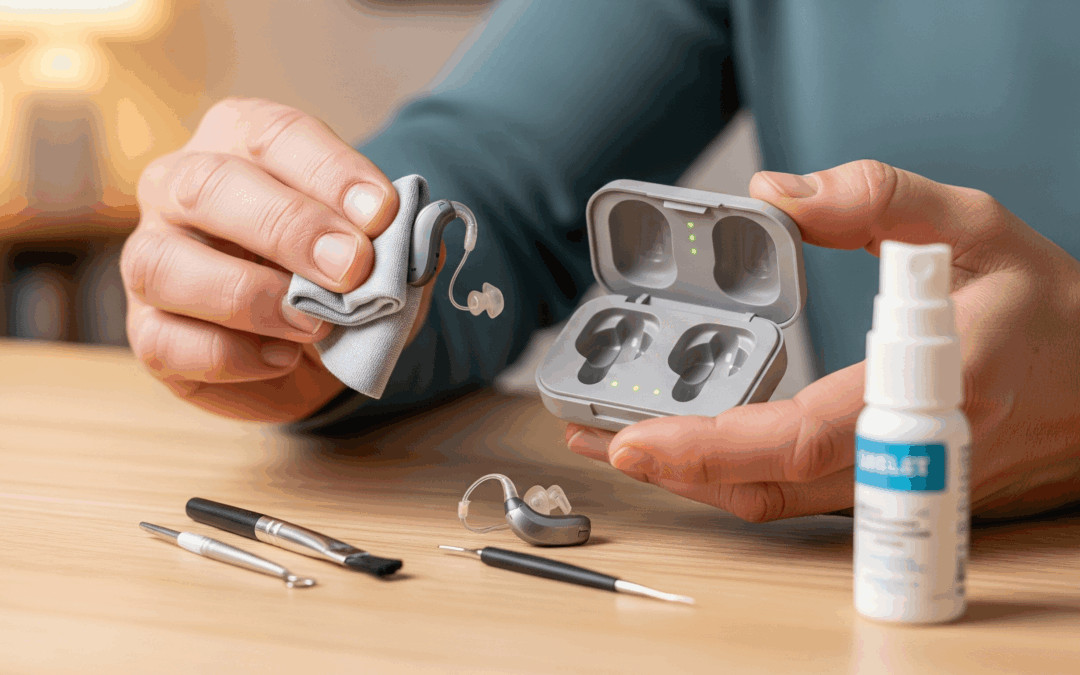
- Wipe your devices daily with a clean, dry cloth to remove oils or debris.
- Bring them in for regular check-ups so we can make sure everything is working optimally.
Troubleshooting High Battery Drain
In some cases, users may notice their rechargeable hearing aids aren’t holding their charge as expected in Andriod systems, or one side seems to drain faster than the other. This can be caused by a compatibility issue with certain Android operating systems.
Here’s what to do:
1. Check your Android version
- If you’re using a Google Pixel 4, 4a, 5, 5a, or 6, make sure your phone is updated to the latest Andriod system. At time of this article it was version 13.
- Go to Settings → About phone → Android version.
- To update, go to Settings → System → System update.
- If you’re using a Samsung device running Android 12L (One UI version 4.1.1; Android 12), update to Android 13 as soon as it becomes available.
- Go to Settings → Search “Software Information” → Tap on Software Information again to see your version details.
- To check your Android version it is in the Settings menu. For example on Samsung devices, by going to Settings à searching for “Software Information” à tapping on Software Information again, it will pop up with the One UI version and the Android version on the top of the screen
2. Understand normal battery use
If you regularly stream for long periods, for example, watching TV via the TV Connector or using Bluetooth streaming, higher battery use is to be expected. This is normal and nothing to be overly concerned about.
Test your hearing aid battery life by unpairing the Bluetooth connection with your devices. See if your devices now last 8 hours. If it does, we may need to set realistic expectations of the streaming battery drain the hearing aid uses. If the
3. Turn your phone completely off and on again.
We often forget to do this and just like us, our phones also need a break to reset. This helps clear out memories built up on the phone over time and often fixes problems!
4. Unpair and repair your hearing aids to the phone.
This can be a step to try after the phone has been turned off and on again. Ask your audiologist what the best way is to do this if you are unsure.
5. When to send your hearing aids for service
If updating your phone doesn’t resolve the issue, or if you notice uneven battery drain without heavy streaming use:
- Bring in both hearing aids, the charger, wall plug, and cable.
- Our friendly team will ask an audiologist to check in-house first whether there is a firmware update on the hearing aids to assist with Bluetooth drain issue. The next step if this hasn’t resolved, is to send them for service at the manufacturer headquarters and ensure your fitting data and Bluetooth pairing are restored after servicing. Check with us if your device is in warranty prior to repair being sent.
Your Hearing Health is Our Priority
At Victorian Hearing, our job doesn’t stop at fitting your devices. We’re here to support you every step of the way from teaching you how to care for your aids, to troubleshooting any issues, to celebrating every milestone in your hearing journey. If you have questions or concerns about your rechargeable hearing aids or just want to make sure you’re getting the most from them don’t hesitate to book a follow-up appointment. We’re always happy to help.